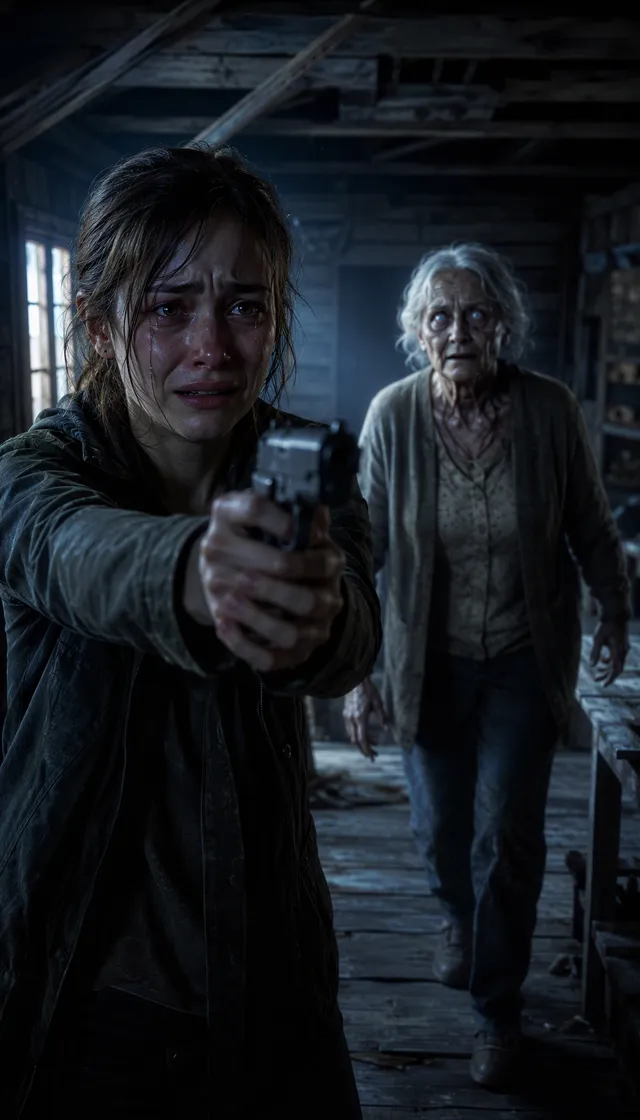
The viral AI zombie trend

AI Zombie Video Generator

Two photos in. One of you has turned, the other cannot pull the trigger, and the last thing you see is your best day together. The viral zombie clip, made for you shot by shot.

  • 2 photos
  • 15 seconds
  • With sound
  • 9:16 or 16:9

No prompts to write, nothing to edit, no watermark. One-time packs from $2.77 per film.

Example — a real film made from two photos

Sample made with this generator. Both people are AI characters. See all examples

Make your AI zombie video

Two photos, one 15-second film. Nothing to write.

Add frameJPG, PNG or WebP · up to 10MB

Still human

A clear front-facing shot — this face never turns.

Add frameJPG, PNG or WebP · up to 10MB

Already turned

Partner, friend, or family — frame it like photo one.

Choose the world

Quality

Format

15-second film with sound. Failed renders are refunded automatically.

Only faces you may use: no children, no celebrities or public figures.

One Film, Four Shots

Every zombie love story that broke the internet follows the same shot list. Your two photos get cut the same way.

  1. Frame 1 of the AI zombie sample film: The Raised Gun

    0–4s

    The Raised Gun

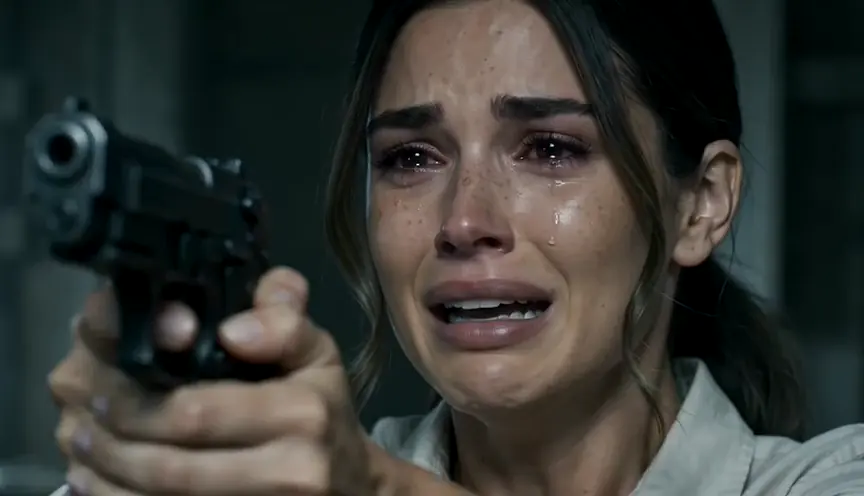
    A tight close-up on a tearful face, the gun raised and never fired. The survivor is still in the world that ended — dark cabin, overcast beach, neon street, snowy doorstep — holding what belonged to the one who turned.

  2. Frame 2 of the AI zombie sample film: The Undead Face

    4–6s

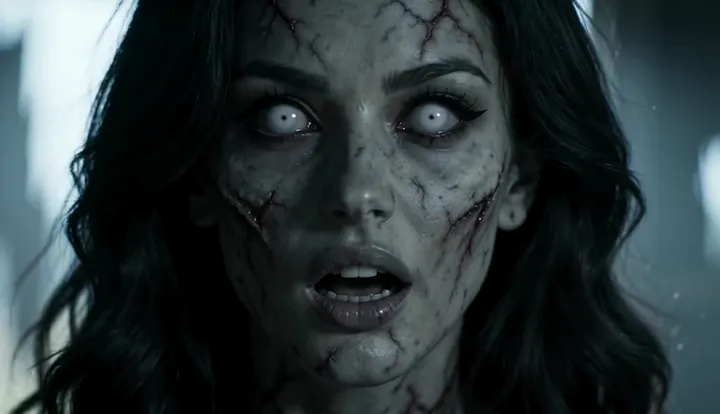
    The Undead Face

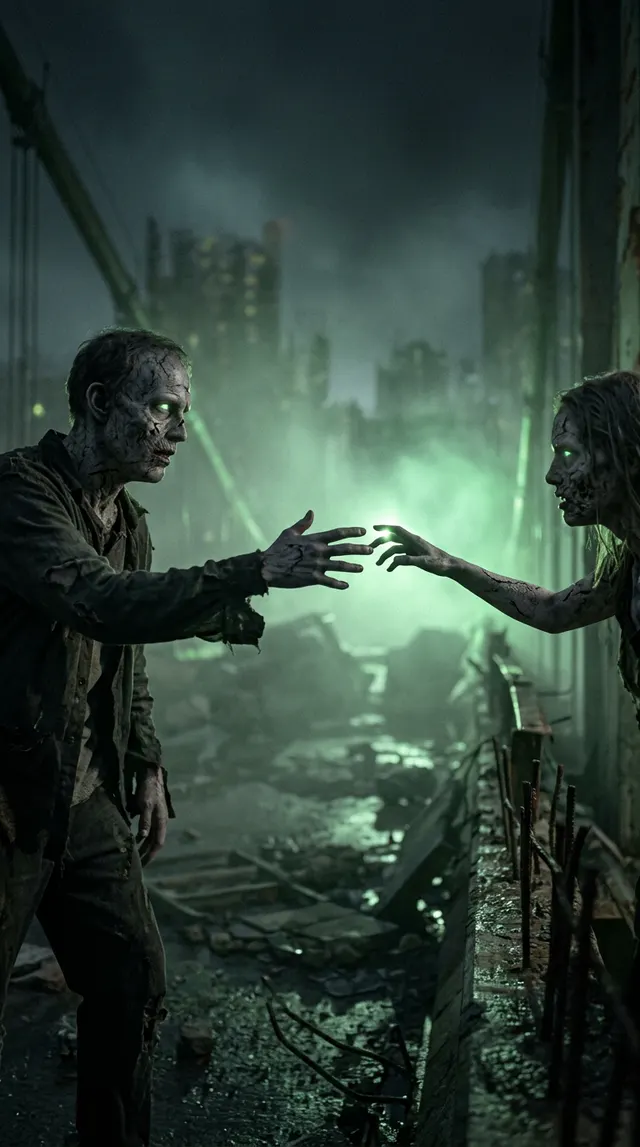
    An extreme close-up: pale grey skin, milky eyes, dark veins under the surface. Frightening, and still unmistakably the face you recognised in photo two.

  3. Frame 3 of the AI zombie sample film: The Open Arms

    6–10s

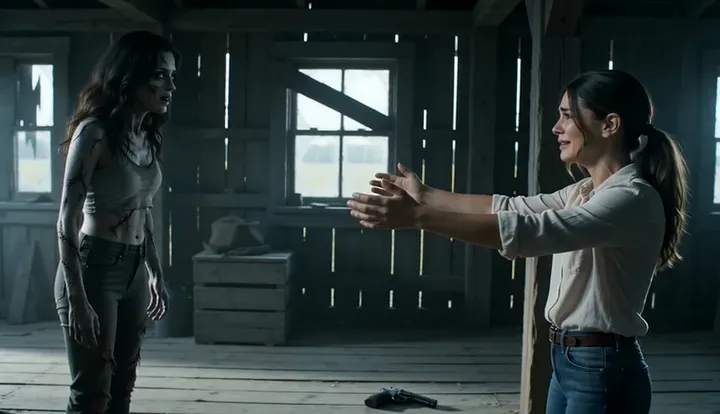
    The Open Arms

    The survivor's hands give up first: the gun drops to the floorboards and both arms open instead. The zombie crosses the last few metres at a run and leaps.

  4. Frame 4 of the AI zombie sample film: The Wheat Field

    10–15s

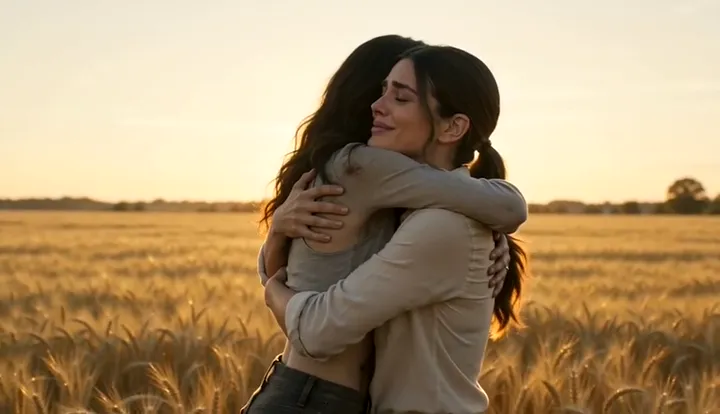
    The Wheat Field

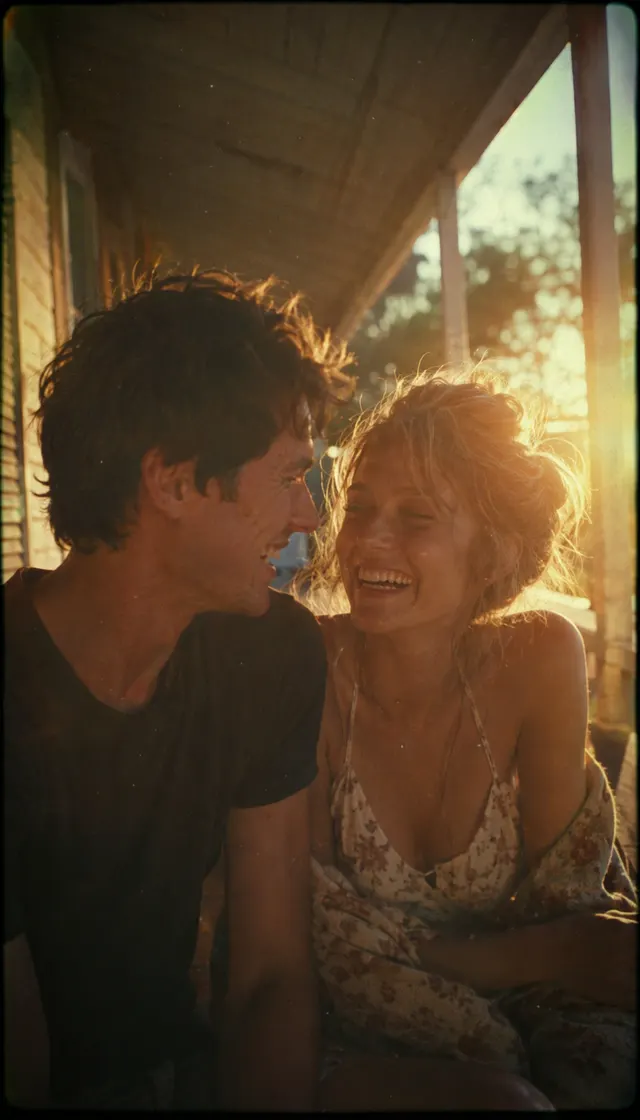
    On contact the world hard-cuts — cabin to wheat field at sunset, grey shore to golden beach, rainy corner to bright afternoon, winter doorstep to summer evening. The same leap lands as an embrace, both of them alive.

What you upload and what you get

Four things define this product: two photographs going in, one 15-second film coming out, one-time credits as payment, and the finished film waiting in My Videos, which only you can open. Every number below is the product as it is built, not as it is marketed.

Input · two photos

  • Photo one is the survivor — the face that stays human.
  • Photo two becomes the zombie: a partner, a best friend, a parent, or a dog or cat.
  • JPG, PNG or WebP, up to 10 MB each, one face close to the camera.
  • Your browser re-encodes both pictures before upload, so EXIF data such as GPS never leaves the device.

Output · one 15-second film

  • Four locked shots — the raised gun, the undead face, the open arms, the wheat field — played in whichever of the four worlds you pick.
  • 9:16 for Reels and TikTok, or 16:9 for YouTube and a widescreen story.
  • 480p for 20 credits, 720p for 40 — the same film, sharper faces and hair.
  • Scene audio is written into the brief and arrives with the picture. Neither tier carries a watermark.

Payment · one-time credits

  • One film for $5.89, or $2.77 per film on the nine-film pack.
  • 20 credits per standard film, 40 per HD film, deducted once when the job is accepted.
  • Credits never expire, and there is no subscription to cancel.
  • A render that fails returns its credits to your balance automatically.

Delivery · your private library

  • Every finished film lands in My Videos with its own private link, readable from any device you sign in on.
  • Usually ready in 10–15 minutes. The queue keeps working after you close the tab.
  • Download the finished MP4 at full quality and post it wherever you like.
  • Your film stays in your own library — the public example wall only carries clips this site made itself.

Four worlds, one grammar

Two choices make the film: who has already turned — a person or your pet — and which world it happens in. Each world swaps only four things: where the survivor stands, what they are holding, what the weather does to a crying face, and what the last five seconds cut into. The four shots, the two faces held from first second to last and the no-gore rule are identical in all eight combinations.

The Cabin

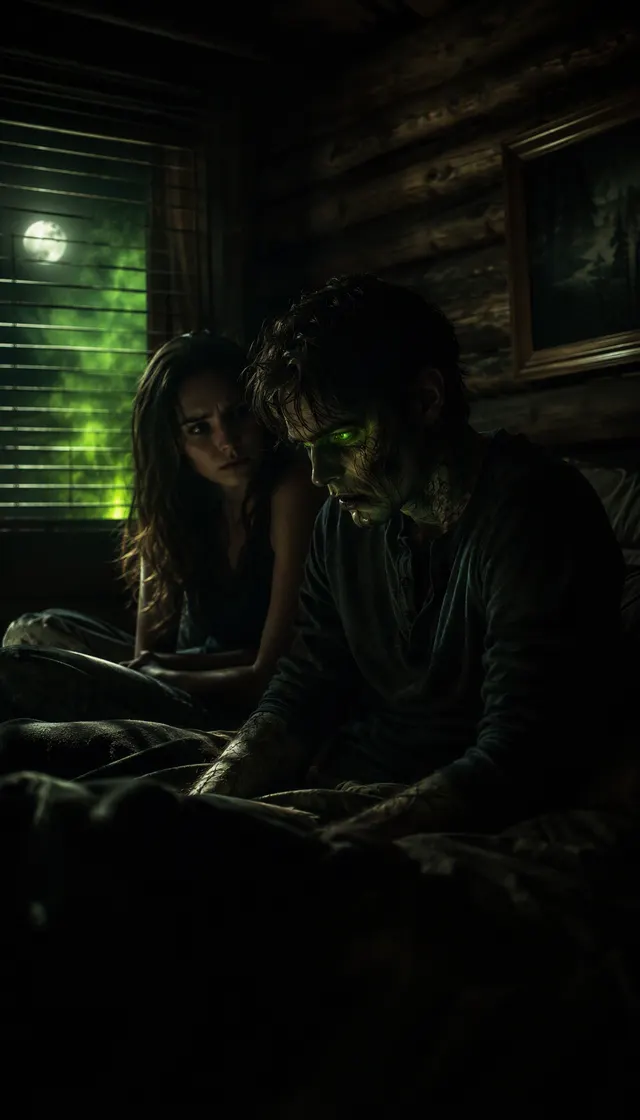
The original form of the trend and the only armed world. A handgun is in the survivor's hand and never comes up; they let it fall at six seconds, open both arms, and the dust-lit cabin cuts to a wheat field at sunset. This is the version people recognise from TikTok, and its lowered weapon is the hardest single beat in the product.

Photo two has to survive the undead make-up and still read as the person you love: even light, no sunglasses, forehead and jaw uncovered.

The Grey Shore

An overcast beach, sea wind, and the dead's own necklace held at the water's edge. The cold half is grey waves and a pale sky; the match cut moves to the same sand at golden sunset, and the water keeps glowing for the last five seconds.

Wind-blown hair belongs to this world, but a reference photo with hair across both eyes costs you identity — take the face shot out of the wind.

The Rainy Street

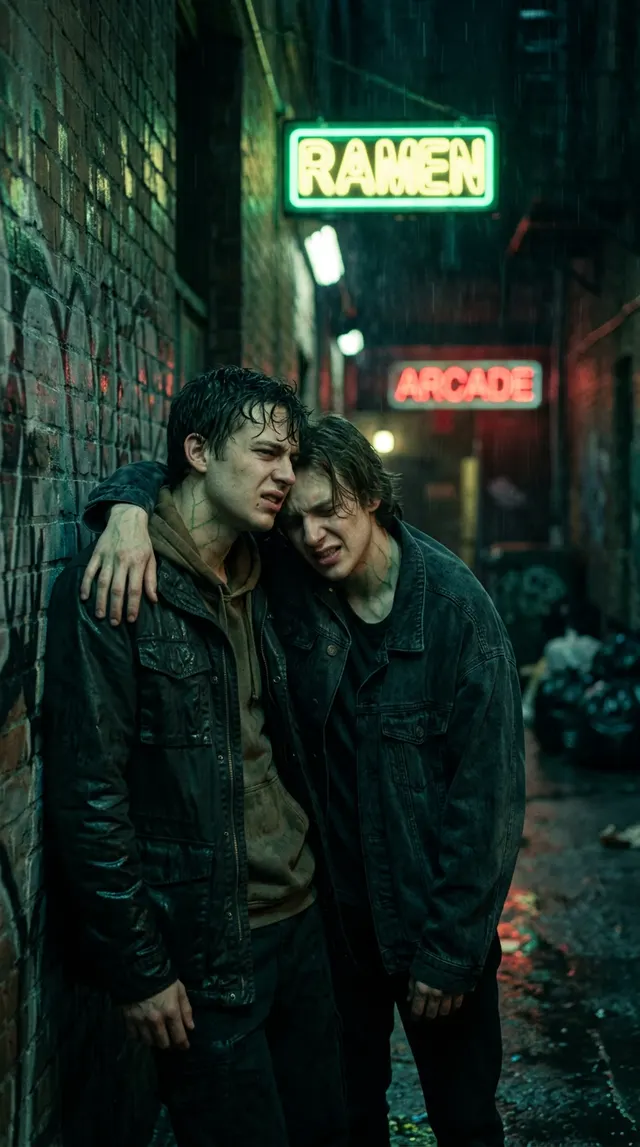
Neon, wet asphalt, rain running down a crying face. Instead of backing away, the survivor opens the dead’s own umbrella and holds it out — the only offer in the four worlds made with an object rather than arms — and the corner comes back in bright afternoon sun.

Blue-violet neon does most of the grading here, so two photos under the same colour cast keep the faces continuous across the cut.

The Snowy Doorstep

A house key on a snowy winter doorstep, porch light spilling into the yard. Snow settles on lashes in the close-up, and the cut moves to the same door on a warm summer evening — the plainest statement of the whole format: still that doorway, only without the loss.

Because snow and breath read on the face in shot two, a clear front-on photo of whoever is in photo two pays off more here than in any other world.

Made with AI Zombie Trend

Example frames rendered from two-photo inputs. Open any of them as your own.

Seedance 2AI-generated

A finished four-shot film from two photos: the survivor aims a trembling handgun through the dark cabin, cannot fire, opens both arms — and the zombie’s leap match-cuts into an embrace in a golden wheat field at sunset

Seedance 2AI-generated

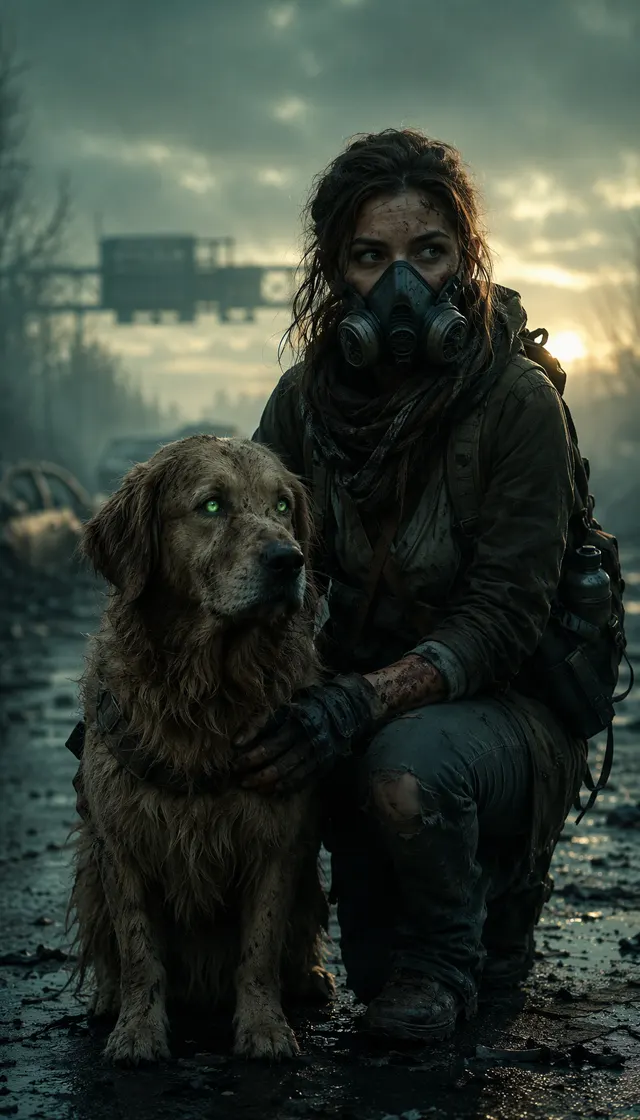
The pet version, rendered end to end: the owner lowers the gun and kneels with both arms open, the zombified dog sprints and leaps, and the hard cut returns them both to a sunlit wheat field with the dog healthy again

The Raised Gun, shot one of four: a survivor aims a trembling handgun at the zombified partner they love, tears streaming, dim daylight through the broken cabin windows, cold blue-grey cinematic 3DVeo 3.1AI-generated

The Raised Gun, shot one of four: a survivor aims a trembling handgun at the zombified partner they love, tears streaming, dim daylight through the broken cabin windows, cold blue-grey cinematic 3D

The Wheat Field, shot four of four: mid-air the dark cabin becomes a golden wheat field at sunset, the zombie leap landing as a tight embrace with both characters alive again, warm cinematic 3DVeo 3.1AI-generated

The Wheat Field, shot four of four: mid-air the dark cabin becomes a golden wheat field at sunset, the zombie leap landing as a tight embrace with both characters alive again, warm cinematic 3D

The Open Arms, shot three of four: still crying, the survivor lowers the handgun and lets it fall, then spreads both arms wide in painful acceptance, inviting the zombie into an embraceVeo 3.1AI-generated

The Open Arms, shot three of four: still crying, the survivor lowers the handgun and lets it fall, then spreads both arms wide in painful acceptance, inviting the zombie into an embrace

Zombie pet version, four shots: the owner lowers the gun and opens their arms, the zombified dog sprints and leaps, and the hard cut lands them both in a golden wheat field with the dog healthy againVeo 3.1AI-generated

Zombie pet version, four shots: the owner lowers the gun and opens their arms, the zombified dog sprints and leaps, and the hard cut lands them both in a golden wheat field with the dog healthy again

Zombie friends version, four shots: one friend cannot pull the trigger, drops the gun and opens both arms; the other sprints, leaps, and the match cut turns the tackle into a hug in a wheat field at sunsetVeo 3.1AI-generated

Zombie friends version, four shots: one friend cannot pull the trigger, drops the gun and opens both arms; the other sprints, leaps, and the match cut turns the tackle into a hug in a wheat field at sunset

Family version, four shots: the grown child cannot fire on the zombified parent they were raised by, drops the gun and opens both arms; the leap match-cuts into a tight embrace under a golden sunsetVeo 3.1AI-generated

Family version, four shots: the grown child cannot fire on the zombified parent they were raised by, drops the gun and opens both arms; the leap match-cuts into a tight embrace under a golden sunset

Seedance 2 VIPAI-generated

A real family film generated in our own workbench: two photos become the survivor and their zombified parent, running the four-shot story from the dark cabin to the sunset embrace

Every clip on this wall is AI-generated fiction made here by us: the people you see are characters rendered from photographs we were entitled to use, not real footage of anything that happened. See something that shouldn't be here? Report it.

How the Trend Works

1

Upload Two Photos

You and your partner, a parent, your pet, or two friends — clear faces work best, and only people who have agreed to appear.

2

Pick the Story

Four worlds — cabin, grey shore, rainy street, snowy doorstep — and either a person or your pet as the one who turned. Each combination brings its own weather, prop and scene audio.

3

Pay with Credits

One-time packs, as low as $2.77 per film. If a render fails, your credits come back automatically.

4

Get the Film

A 15-second MP4 with generated audio, watermark-free, ready for TikTok, Reels and Shorts.

How to pick the two photos

  • Same two people in both frames. Photo one hands the model the survivor, photo two the one who has turned — two unrelated images leave it with nobody to carry across the four shots.
  • Match the framing. Keep the distance, head height and angle close; a wide shot into a close-up reads as a jump cut.
  • Light both photos alike. The film already plans its own turn from cold light to golden sunset, so matching your two inputs keeps the faces continuous instead of forcing a relight on top of them.
  • Give each photo its role. Photo one is the survivor — the face that cries and does not step back; photo two is the one who has turned, the face the extreme close-up finds.
  • Order is casting. Photo one becomes the survivor, photo two the undead — swap them and the wrong face is the one crying at the start.

Zombie Film Pricing — Pay Once, No Subscription

Every credit pack unlocks all four worlds and both subjects, both resolution tiers and commercial-use downloads. Credits never expire — pay once, no subscription.

Every pack is one balance you spend render by render: 20 credits buys a 480p film, 40 credits buys a 720p film.

Limited Time

Single Pack

$5.89
$8.90

20 credits

1 × 480p

  • 15-second MP4 with scene audio
  • All four worlds, person or pet
  • No watermark
  • Automatic refund on failed renders
Most Popular

Trio Pack

$9.89
$12.90

60 credits

3 × 480p or 1 × 720p

  • 15-second MP4 with scene audio
  • All four worlds, person or pet
  • No watermark
  • Automatic refund on failed renders
Best Value

Nine Pack

$24.89
$34.90

180 credits

9 × 480p or 4 × 720p

  • 15-second MP4 with scene audio
  • All four worlds, person or pet
  • No watermark
  • Automatic refund on failed renders

By purchasing a pack you accept our Terms of Service · Privacy Policy · Refund Policy

Every Pack Includes

  • 15-second MP4 with scene audio
  • All four worlds, person or pet
  • No watermark
  • Automatic refund on failed renders

Frequently Asked Questions

What is the AI zombie trend?+

A viral format where two photos become a 15-second mini film: one of you has already turned, the other holds a gun they cannot bring themselves to fire, and the closing distance hard-cuts into an embrace in a golden wheat field — four cinematic shots, no editing. It has blown up across TikTok, and you can now make your own from any two photos.

How many photos do I need?+

Exactly two. Front-facing, well-lit faces give the most recognizable result.

How long does a render take?+

Usually 10–15 minutes. The film keeps rendering even if you close the tab — it waits in My Videos.

What if the render fails?+

Credits are refunded to your balance automatically. You never pay for a film you did not get.

Are my photos private?+

Yes. Your browser re-encodes each photo before it is uploaded, which discards EXIF data such as GPS coordinates — the location never leaves your device. Photos are used only for that render, and every photo you stage with us is deleted from storage within 24 hours, whether the render succeeded or failed. They are never used to train models.

Do I need a subscription?+

No. One-time credit packs, as low as $2.77 per film — buy once, use whenever the trend comes back around.

How is this different from a general video model?+

A general model has no ceiling, but the prompt, the edit, the soundtrack and the per-platform export are all yours — hours on the first try. Here the scene templates are already tuned on the server: two photos, one story, a film in 10–15 minutes. For a 40-second multi-scene piece, the general-model route suits you better.

What about effects template sites?+

A template site gives you a zombie look on one photo — fast, with almost no decisions. This trend is a four-shot film carried by two identities: how the survivor and the one they love are held through the cold world and the warm one that cuts back from it. The grade and the scene audio are done in one pass here, and the people, outfits and pacing belong to your film alone.

Can I turn anyone's photo into a zombie?+

No. Before a render is accepted the generator makes you declare that the faces are your own, your own pet, or people who agreed to appear — no children, no celebrities or public figures — and that declaration is stored with the job. The prompt, the photos and the finished clip are each screened, and a finished film stays in your own library: nothing you generate is ever published, because the public example wall only carries clips this site made itself. If a clip used your likeness without permission, email jiusongvip@gmail.com and we take it down.

What is the difference between 480p and 720p?+

Both tiers render the same 15-second, four-shot film from your two photos, with the same grade and the same scene audio. 480p is the size the trend is normally posted at, and on a phone its grain and shadow read as part of the look. 720p resolves faces, hair and the warm light of the final stretch more cleanly, which is what you want for a projector, a printed frame or a YouTube upload. Packs are plain credits, so one balance covers both tiers.

Who is behind AI Zombie Trend?+

An independent project, not a big-media studio. The developer builds the generator and picks every clip on the example wall by hand, and answers support mail at jiusongvip@gmail.com — the About page has the full story.

Does the order I upload the two photos matter?+

Yes, and it is the single most common reason a film is not what someone expected. Photo one is always the survivor — the one who lowers their hand and opens their arms. Photo two is always the one who has turned. Swap them and you swap who is human in the memory at the end.

Can I make the video with my dog or cat?+

Yes — that is the pet half of the person/pet choice. Put your own face in photo one and the animal in photo two: the breed, coat and size in the reference are held through the clip, and the undead animal keeps to four legs, crossing the room and running the last few metres into your arms rather than standing up. A full-body side-on photo works best.

Is there a version for a parent?+

Yes. Pick A person and put your parent in photo two. The template never casts anyone — it reads photo two as the person you deeply love and preserves whichever face you supply — so the final embrace lands as a child holding a mother or father. People choose this when the trend touches something personal rather than playful.

Does the film come with audio?+

Sound is written into the brief rather than added afterwards: the room tone of whichever world you picked — cabin stillness, grey waves, rain on asphalt, wind in falling snow — then shaky breathing and sobbing through the first ten seconds, an unsettling low rumble over the undead close-up, and a soft swell as the embrace becomes the memory. That is generated scene audio, not a licensed track, which keeps every frame you download free of anyone else’s copyright and leaves the trending sound to you at post time.

Will the two people look exactly like my photos?+

Both identities are held across all fifteen seconds and both lighting setups — face, recognisable hairstyle and body proportions are part of the brief, and when the film cuts to the memory the one who turned still looks like the reference photo. It is a generation, not a photocopy: expression, clothing and camera angle are the model’s, so a second take of the same two photos is a different film. Clear, front-lit references are what move the result closer to the people you know.

Can I post the film on TikTok or Reels?+

Yes. Downloads carry no watermark, and 9:16 is cut for exactly that use. Add your own music in the app you post from if you want a trending sound under it — the file arrives with scene audio, which is easy to replace and impossible to license for you.
Which photos make the best film

Two ordinary photographs are the entire input, so the quality of the film is decided before you press generate. Five things matter, in this order.

One face, close to the camera

Both identities are held across fifteen seconds and four lighting setups, which the model does by reading the reference in detail. A face that fills a good share of the frame, in even light, with eyes open and nothing over the brow, gives it something to preserve. Sun-bleached selfies, heavy shadow, motion blur and sunglasses all cost recognisability.

One subject per picture

Each upload supplies one character. A group photo forces the model to choose a face from it, and the two characters end up related to each other in ways you did not pick. Crop to the person or the animal that should star.

Match the two photographs

A studio portrait next to a beach selfie gives two different camera distances, colour casts and head sizes to reconcile. You do not need matching outfits — the film dresses both characters in clean everyday clothing — but similar framing and lighting make the finished clip read as one scene rather than two composites.

Upload order is the story

Photo one is always the survivor. Photo two is always the one who has turned. Swap them and you swap who opens their arms and who is held in the memory at the end, so check the two labelled frames before submitting.

Faces you are allowed to use

Your own face, your own pet, and other adults who have agreed to appear. Not children, and not celebrities or public figures — the generator asks you to declare that before it accepts a job, and the declaration is kept with the render.

Choose 9:16 for Reels or 16:9 for a wider story

The story is fixed at fifteen seconds and four shots; the frame is yours to pick, and the two options behave differently on the same storyboard.

9:16 — the size the trend travels at

Reels, TikTok and Shorts are vertical, and this is the ratio the format was cut for. It keeps the survivor tight in the frame, holds the undead close-up at shot two uncomfortable, and lets the camera pull back up into the open space of the memory at the end. If the film is going straight onto a phone feed, start here.

16:9 — for YouTube, a projector, or a wider embrace

Landscape spends the same fifteen seconds on geography. The cold world reads as a place rather than a dark portrait, and the final pull-back shows how much open ground the two of them are standing in, which is the emotional payoff of the fourth shot. Choose it for YouTube uploads, an embedded copy on your own site, or a frame you intend to print.

What never changes between the two

Duration, shot order, colour grade, scene audio and resolution tier are identical in both ratios. Nothing is cropped off the storyboard when you go horizontal — the same four beats, composed for a wider frame.

480p or 720p — what the extra credits buy

Resolution is the only thing that costs more here. The story, the grade and the sound are the same brief, and the two tiers are two separate generation routes.

480p · 20 credits per film

The size the trend is normally posted at. On a phone screen at Reels scale, the grain and the deep shadow of the cold half read as part of the look, and the file is the lightest to upload back to a social app. This is the tier every pack is priced against.

720p · 40 credits per film

Twice the pixels land where the film needs them: facial detail during the tears of shot one, the veins and cloudy eyes of shot two, individual hair in the backlight, and the whole warm world of the last five seconds. Pick it for YouTube, a projector, a printed frame, or any copy you want to survive being re-uploaded.

How the math works on each pack

Packs are plain credits, so one balance covers both tiers. A Trio Pack holds 60 credits: three standard films, or one HD film with credits left over for more. The Nine Pack holds 180: nine standard films, or four in HD. Because HD costs 40, the film count on a pack cover always refers to the standard tier.

What both tiers already include

No watermark, no credit stamp, no reduced duration and no silent export on either tier. The difference you are paying for is resolution, nothing else.

Where did this trend come from?

The zombie love-story clip is one of the fastest-spreading short-video formats of 2026. Its underlying capability — generating a coherent video from a plain-text description — is what researchers call a text-to-video model:

“A text-to-video model is a form of generative AI that uses a natural language description as input to produce a video relevant to the input text.”

— “Text-to-video model,” Wikipedia, the free encyclopedia, en.wikipedia.org

AI Zombie Trend packages that capability into a finished film: upload two photos, choose a world and whether the one who turned is a person or your pet, and the workbench handles the prompting, shot order and scene audio — no prompt writing, no watermark.

Why the embrace cuts to a golden field

The fourth shot is a match cut. The embrace begins in the cold world and continues, without a break in the movement, into the same two bodies standing in the warm one. Because the composition and the gesture carry across the join, the cut reads as one action rather than two separate clips, which is what makes the reversal feel like memory instead of a transition effect.

“In film, a match cut is a cut from one shot to another in which the composition of the two shots are matched by the action or subject and subject matter.”

The same device is why the grade splits in two. The first ten seconds are desaturated and cold, lit by whatever that world has — cabin daylight, sea mist, neon, snow — and the last five are golden, backlit and warm. Editors describe that pairing as the payoff of a well-motivated match cut. Adobe’s guide to match cuts in film.

What the model has to hold across the cut

Both faces, both hairstyles and both body proportions have to survive the join; the embrace has to be continuous on either side of it; and the clothing and light switch to the other camp instantly. The last five seconds only read as memory while all three hold at once. Loose any one of them and what the audience sees is a special effect.

Queue, consent, and what we delete

Nothing about a generation is hidden from you: how long it takes, what is checked before it runs, what you have to declare, and what happens to your photographs afterwards.

While your film renders

The job enters a queue and the credits are reserved at that moment. Most films finish in 10–15 minutes, and the queue does not care whether your tab stays open — come back to My Videos and the finished film is waiting with its own private link.

What gets screened, in order

Three checks run in sequence: the story text, then each uploaded photograph, then the finished clip. They happen in that order for a reason — the cheap ones come first, so a submission that cannot proceed is stopped before any credits are committed. A render blocked by a check is not charged.

The declaration you make

Before the render is accepted, you tick that the faces are your own, your own pet, or adults who agreed to appear. No children, no public figures. That declaration is stored with the job, which is what lets us act on a report instead of guessing. If a clip used your likeness without permission, write to jiusongvip@gmail.com and it comes down.

What we delete

The photographs you stage are removed from storage within 24 hours whether the render succeeded or failed, and they are never used to train models. EXIF is stripped in your browser before upload, so location data never reaches us at all. The finished film is yours: it stays in your private library, and nothing you generate is ever published — the public example wall only carries clips this site made itself.

If it does not come out right

A failed render refunds its credits automatically — you never pay for a film you did not get. Re-submit with clearer photographs rather than a different story: in practice the input images are where a weak result starts. Refunds of money already paid follow the Refund Policy.

Ready to Join the Trend?

Two photos in. A 15-second zombie film out. As low as $2.77 per film.

Make Your Zombie Film